
MetaTrader 4
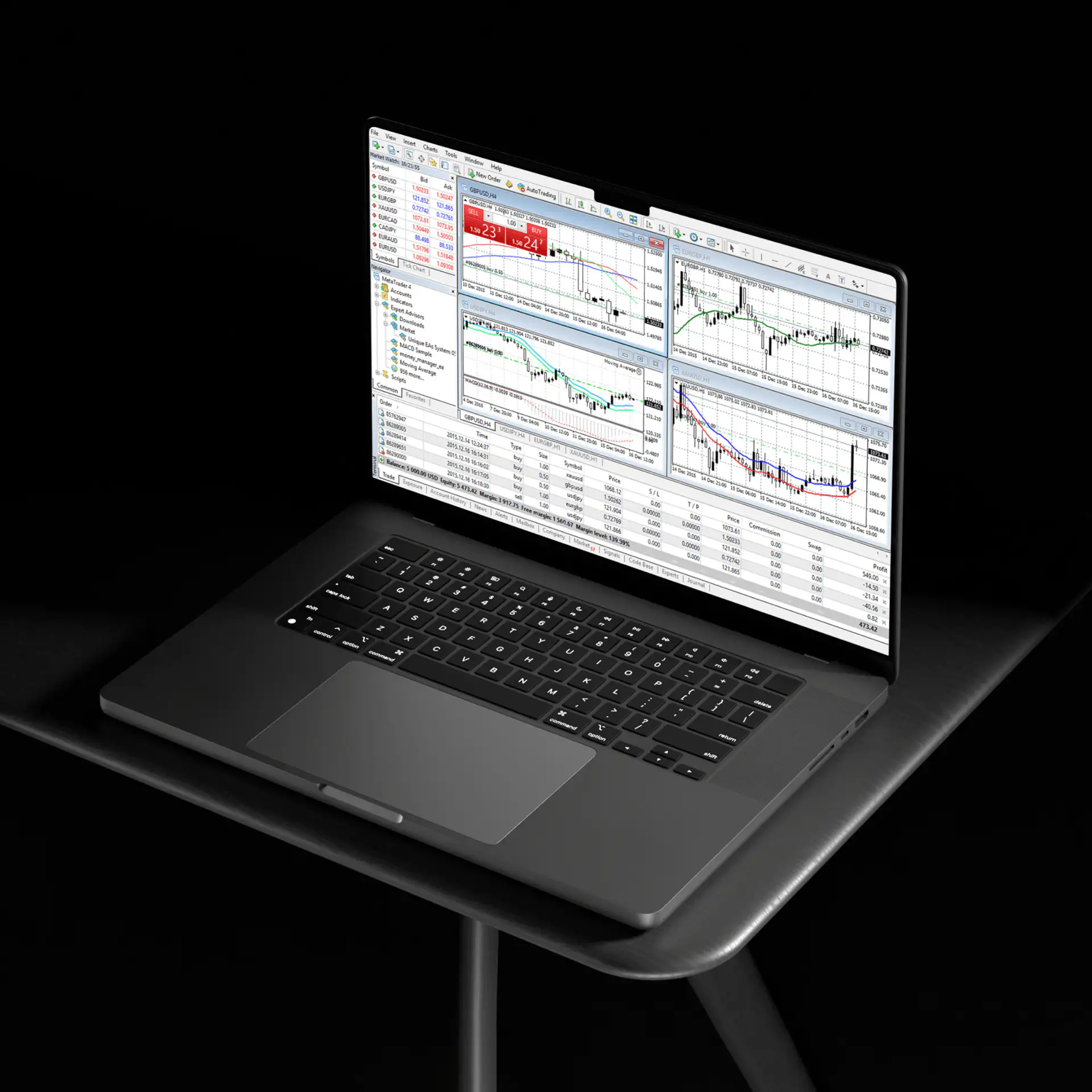
MetaTrader 4 (MT4) combines advanced charting, built-in technical indicators, and Expert Advisors (EAs) in a single trading platform. As a regulated broker offering MT4, Blueberry gives traders access to advanced technical analysis tools and the ability to automate trading strategies across a range of CFD markets.
What is MetaTrader 4?
MetaTrader 4 (MT4) was developed by MetaQuotes and is offered by brokers such as Blueberry. Originally designed for forex trading, MT4 has evolved to support CFDs across a range of markets, including indices, commodities, and cryptocurrencies. Since its launch, MT4 has become a widely used trading platform.
Key Features of the MT4 Platform

Advanced charting tools
Across multiple charts, three chart types, and nine timeframes, MT4 helps traders analyse price movements from one minute to one month. Combined with 24 analytical objects and 30 built-in technical indicators, traders can analyse multiple markets simultaneously to identify trends and patterns that may inform trading decisions.

Automated trading with Expert Advisors (EAs)
MetaTrader 4 supports automated trading through Expert Advisors (EAs), which are automated trading programmes developed in MetaQuotes Language 4 (MQL4). EAs can monitor market conditions, generate trading signals, and execute or manage trades depending on their configuration and predefined rules. Traders can create their own EAs or import existing ones developed by the MQL4 community.

Customisable indicators
MetaTrader 4 supports 30 built-in technical indicators across four categories: trend, oscillators, volume, and Bill Williams. Alongside the default library, traders can also import custom indicators from the MQL4 community to tailor their technical analysis even further. Traders can also customise chart colours and layouts, providing greater flexibility when analysing markets.

Secure and reliable
MetaTrader 4 includes encryption for data exchanged between the client terminal and trading servers, along with digitally signed executable files for software verification.
Advanced charting tools
Across multiple charts, three chart types, and nine timeframes, MT4 helps traders analyse price movements from one minute to one month. Combined with 24 analytical objects and 30 built-in technical indicators, traders can analyse multiple markets simultaneously to identify trends and patterns that may inform trading decisions.
Customisable indicators
MetaTrader 4 supports 30 built-in technical indicators across four categories: trend, oscillators, volume, and Bill Williams. Alongside the default library, traders can also import custom indicators from the MQL4 community to tailor their technical analysis even further. Traders can also customise chart colours and layouts, providing greater flexibility when analysing markets.
Automated trading with Expert Advisors (EAs)
MetaTrader 4 supports automated trading through Expert Advisors (EAs), which are automated trading programmes developed in MetaQuotes Language 4 (MQL4). EAs can monitor market conditions, generate trading signals, and execute or manage trades depending on their configuration and predefined rules. Traders can create their own EAs or import existing ones developed by the MQL4 community.
Secure and reliable
MetaTrader 4 includes encryption for data exchanged between the client terminal and trading servers, along with digitally signed executable files for software verification.
Getting started with MetaTrader 4

Download the platform
Access the MT4 platform on your preferred device.


Explore our resources
Utilise our comprehensive guides and tutorials to familiarise yourself with MT4’s features.
Frequently asked questions
We’re here to help you every step of your trading journey. Here are some answers to the more frequent questions we get asked.
What is MetaTrader 4?
What is a MetaTrader 4 demo account?
How do traders use MetaTrader 4?
A guide to trade on MetaTrader 4 app
What is the difference between MetaTrader 4 and 5?
Is there a guide on MetaTrader order types?
Why MT4?
What does MetaTrader 4 do?
Is there a charge for MetaTrader 4?
Mobile Trading on the MT4 App
Available for iOS and Android, the free MetaTrader 4 app allows traders to access their trading account from compatible mobile devices. Traders can monitor open positions, place and manage orders, access interactive charts, apply technical indicators, and receive push notifications for updates from their mobile devices.
While the mobile app offers numerous core trading features, more in-depth capabilities like installing or running an EA are not currently available.
MT4 Order Types
MetaTrader 4 supports two primary order categories: market orders and pending orders. Market orders execute at the current available market price, subject to market conditions. Pending orders only trigger when the market reaches a predefined price level, helping traders plan entries in advance.
Traders can use trailing stops, a dynamic stop-loss feature, to help manage risk while leaving the stop level unchanged if the market reverses. Other risk management tools, including Take Profit and Stop Loss orders that can help manage potential losses or lock in profits, subject to market conditions and execution.
What Markets Can Traders Access on MT4?
Blueberry’s MetaTrader 4 integration gives traders access to a range of CFD markets from a single platform. Rather than switching between different platforms for different asset classes, traders can analyse markets, monitor positions, and place trades using the same interface and analytical tools.
Traders can access major and minor forex pairs, share CFDs, commodities and metals, indices, and cryptocurrency CFDs, all through the same interface and may vary by jurisdiction.
Markets are available with live pricing where applicable, advanced charting, and the ability to take advantage of available technical indicators, giving traders consistent tooling across the board. Whether a trader is scanning equity indices or watching metal prices tick, MT4’s suite of analytical tools can help traders analyse price movements across different markets.
One-click trading allows traders to place orders directly from the interface, while built-in support for Expert Advisors allows traders to automate trading strategies based on predefined parameters.
MT4 through Blueberry brings all these tools together on a single platform. However, the full range of available markets may vary depending on account type and regulatory jurisdiction in which the account is held.
Why Choose Blueberry as Your MT4 Broker?
As a regulated broker offering MetaTrader 4, Blueberry provides access to a widely used trading platform alongside practical trading tools and customer support. Traders benefit from reliable trade execution through MT4, alongside customer support available 24 hours a day, seven days a week.
Blueberry also offers Blueberry Pulse, its proprietary market insights tool available on both MT4 and MT5, providing additional market context to support trading decisions.
For traders looking to become familiar with the platform or test strategies before trading live markets, Blueberry also offers a free MT4 demo account with virtual funds, allowing traders to explore the platform’s features in simulated market conditions.
Explore MetaTrader 4 with a free demo account or open a live account with Blueberry to start trading on MT4.
The following information is provided solely for educational purposes and does not constitute personal advice or a recommendation to trade margin FX/CFDs.